
Is Your Microsoft Access System Struggling to Keep Up with Your Business
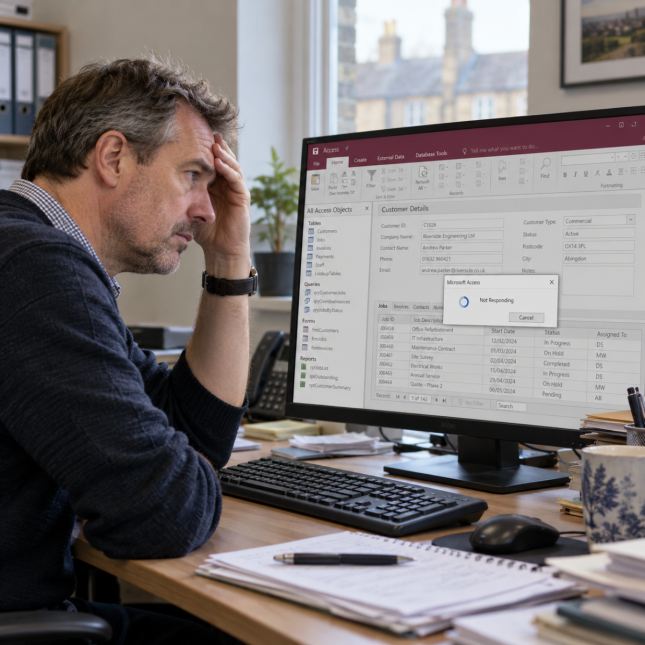
Is Your Microsoft Access System Struggling to Keep Up with Your Business?
For many businesses, Microsoft Access has provided a practical way to manage customers, jobs, orders and other important information. Often developed around the company’s particular needs, these systems can become an essential part of daily operations.
But as the business grows and processes change, an application that once worked well can start to show its limitations. Tasks take longer, workarounds multiply, and making even a small change becomes difficult.
If this sounds familiar, you may be wondering how to move forward without disrupting the business.
When Performance Becomes a Problem
A slow system can affect everyone who relies on it. Screens take longer to load, searches become frustrating, and reports that once appeared quickly now keep staff waiting.
You may notice problems such as:
- Delays opening forms or retrieving information.
- Reports taking increasingly long to run.
- Errors or interruptions during everyday tasks.
- Performance becoming worse when several people use the system.
These symptoms do not necessarily mean the whole system needs replacing. Sometimes, investigating the database, application design or operating environment can identify improvements that make the existing system more reliable and responsive.
However, recurring problems can also be a sign that it is time to consider the system’s longer-term future.
When the Original Developer Is No Longer Available
Many Access applications were created by an employee, an independent developer or a small supplier. Over the years, that person may have added features, adjusted reports and resolved problems as they arose.
But what happens when they leave the business, retire or become unavailable?
Without adequate documentation or someone who understands how the application works, businesses can find themselves relying on a system they are increasingly reluctant to change.
A minor fault becomes difficult to investigate. A new requirement gets postponed. Staff develop manual workarounds because nobody is confident about modifying the application.
The concern is often less about what the system does today and more about who will keep it working tomorrow.
When the System No Longer Meets Your Needs
Your business may have changed considerably since the application was first developed.
You might have more staff, additional locations, new services or more demanding reporting requirements. You may also need better connections between departments, access for mobile teams or integration with other software.
Signs that the system is falling behind include:
- Exporting information to spreadsheets to complete routine tasks.
- Entering the same details into several systems.
- Managing important activities through emails or paper records.
- Difficulty giving staff access to the information they need.
- Reports that no longer provide a clear picture of the business.
Over time, these gaps can consume staff time and make it harder to manage growing workloads.
Supporting the System You Have Today
Recognising these limitations does not mean you have to replace everything immediately.
At Intradev, we can review an existing Access application, investigate problems and provide support where the original developer is no longer available.
This may include resolving faults, improving performance, updating reports or making practical changes to support current business requirements.
Understanding the existing system also helps establish which features remain valuable, where the limitations lie and what a future solution needs to achieve.
Planning a Modern Browser Based System
Alongside supporting the existing application, we can work with your team to design and develop a modern browser based system around the way your business operates.
This starts with understanding your processes and the people who use them. The aim is to retain what works well while addressing the problems and gaps that have developed over time.
Depending on your requirements, a new system could provide:
- Central access to information across departments and locations.
- Appropriate permissions for different users.
- Clearer reporting and visibility of progress.
- Integration with accounting software or other business systems.
- Mobile access for staff working away from the office.
- A stronger foundation for future development.
Moving to a browser based platform is also an opportunity to review the underlying processes, rather than simply reproduce the old application screen for screen.
Making the Transition Manageable
Replacing a system that supports daily operations needs careful planning.
Existing data, testing, staff training and the timing of the change all need consideration. Providing support for the Access application while its replacement is developed helps keep the business operating during that transition.
The result is a practical route forward: addressing today’s problems while preparing a system that can meet tomorrow’s needs.
If your Access system is becoming slow, difficult to support or increasingly out of step with your business, Intradev can help you understand the options and plan your next move.
Contact us to discuss your existing Access system and how we could help.
Recent Insights
Transforming your Business With Bespoke Software (eBook)
This eBook explains how growing businesses outgrow spreadsheets and off-the-shelf tools, and why bespoke software provides a scaleable, efficient solution aligned to their operations.
Find Out MoreUsing Spreadsheets to Run Your Business? What’s the Risk?
Spreadsheets are popular because they’re flexible, familiar, and work well for simple or early-stage business tasks. However, as a business grows, relying on them for core operations can create hidden risks—reducing accuracy, efficiency, and the quality of decision-making, and turning a once-helpful tool into a weak foundation.
Find Out MoreIs Off-the-Shelf Software Holding You Back?
Off-the-shelf software is a practical starting point for growing businesses due to its ease, cost-effectiveness, and broad functionality. However, as a business evolves, these tools can become restrictive, creating friction and limiting further growth.
Find Out MoreWhen Replacing Your Legacy Software Seems an Impossible Task
Many businesses outgrow their existing software, but replacing it feels daunting because it’s deeply embedded and shaped by years of changes. As a result, companies often tolerate inefficiencies rather than face disruption. In reality, though, replacing legacy systems is usually a gradual, structured process—not a sudden overhaul.
Find Out MoreInnovative technology that’s worth your investment
Whatever the size or complexity of your business, we can design a software solution to help drive efficiency improvements.